CCNA troubleshooting ticket labs
12 multi-site troubleshooting labs on Cisco IOSv routers and IOSvL2 switches, written as service-desk tickets. A ticket gives you only the symptom. You find the fault, fix it, and prove the end state with show commands. Each lab also hands you a fix suggested by an AI assistant, for you to test and correct.
Before you choose
- How you work
- CLI-ledYou type commands at each device’s console, which opens in your browser.
- Follows
- Cisco CCNA 200-301 v2.0 troubleshooting topics (first test 3 February 2027)The labs run on Cisco IOSv 15.9 and IOSvL2 15.2 virtual images. The v2.0 topic list puts NAT on IOS XE routers; the NAT commands in these labs are the same there.
- Published
- 27 November 2026Labs start already set up, with nothing to paste before the first task.
- Devices
- IOSv, IOSvL2, Alpine Linux, CloudLabBox lab services host and VPCS
Who these labs are for
For anyone preparing for Cisco’s CCNA 200-301 v2.0, whose topic list now asks you to troubleshoot and diagnose, and for help-desk and junior network engineers who want fault-finding practice on networks bigger than a home lab.
The tickets assume you can already configure what they break. If a topic is new to you, do its lab in the CCNA course first, then come back for the ticket.
What lands in your queue
Real tickets from the labs. Each one is all you are told: what the user reported, with no cause and no method.
- INC-0101
“I can see the branch router, but I can’t reach HQ”
- INC-0201
“We can’t even reach the router”
- INC-0301
“IPv6 never loads at site 2; IPv4 is fine”
Lab 3: IPv6 addressing and static routes between three sites
- INC-0401
“I get an address, but I can’t reach anything”
- INC-0501
“The lab PCs have had no network since half term”
Lab 5: VLANs, trunks and EtherChannel in a two-building campus
The 12 labs
Every lab in the folder, as the workspace lists them, with how long each takes to be ready, the smallest plan that runs it and whether it fits the free demo. Read on 27 November 2026.
CCNA troubleshooting tickets 12 labs
Shared folderCCNA 200-301 troubleshooting tickets
One ticket queue per lab. Each ticket states the symptom only; the method is a hint, and the fault notes sit behind a second hint.
Show
-
01
Your first ticket queue across three sites
Three small sites, two tickets and a fix suggested by an AI assistant. Work from the symptom to the cause with ping, traceroute and the routing table, prove each fix, and decide which parts of the suggested fix to keep.
3× IOSv, 3× VPCS
- Level and time
- Beginnerabout 25 min of tasks
- Ready in
- About 9 min
- Smallest plan
- Lite6 vCPU, 6,144 MB
- Free demo
- Yes
-
02
Interfaces and cabling across two floors
A router swap and a desk move have left two floors of an office without a network. Use interface status, CDP and the MAC address table to find which cable is really where, fix three faults, and test a suggested fix that would only hide one of them.
2× IOSvL2, 1× IOSv, 3× VPCS
- Level and time
- Beginnerabout 40 min of tasks
- Ready in
- About 4 min
- Smallest plan
- Lite6 vCPU, 6,144 MB
- Free demo
- Yes
-
03
IPv6 addressing and static routes between three sites
IPv4 works everywhere, but IPv6 only works at head office. Read interface addresses, SLAAC results and IPv6 routing tables to find a mistyped LAN prefix, a WAN link addressed in the wrong /64 and a route to a prefix that doesn't exist.
3× IOSv, 3× VPCS
- Level and time
- Intermediateabout 40 min of tasks
- Ready in
- About 9 min
- Smallest plan
- Lite6 vCPU, 6,144 MB
- Free demo
- Yes
-
04
DHCP server, relay and clients across two sites
Head office runs DHCP for itself and a branch. Head office PCs get leases that don't work, and the branch gets none at all. Follow each request from client to relay to server and back, on a VPCS PC and a Linux host, and turn down a fix that would split the design.
2× IOSv, 1× Alpine Linux, 1× IOSvL2, 2× VPCS
- Level and time
- Intermediateabout 45 min of tasks
- Ready in
- About 8 min
- Smallest plan
- Lite6 vCPU, 5,632 MB
- Free demo
- Yes
-
05
VLANs, trunks and EtherChannel in a two-building campus
Two buildings, a core switch, a router on a stick and three tickets: a lab VLAN that never reaches building B, a new starter's PC on the wrong VLAN and a monitoring alert for a broken EtherChannel. Fix them without opening up VLANs the design keeps pruned.
3× IOSvL2, 1× IOSv, 3× VPCS
- Level and time
- Intermediateabout 50 min of tasks
- Ready in
- About 8 min
- Smallest plan
- Standard7 vCPU, 7,168 MB
- Free demo
- Notoo big for it
-
06
OSPF between four sites
Four routers in a square should give head office two paths to the data centre. Two links have no OSPF neighbours, a site's LAN is missing from OSPF and an old route quietly overrides the protocol. Fix them, and keep a security ACL that a suggested fix would remove.
4× IOSv, 2× VPCS
- Level and time
- Intermediateabout 50 min of tasks
- Ready in
- About 8 min
- Smallest plan
- Lite6 vCPU, 6,144 MB
- Free demo
- Yes
-
07
OSPFv3 for a new IPv6 site
A new IPv6-only lab site and an existing site both fail to join OSPFv3. Find a process that never started, a link in the wrong area and passive interfaces set the wrong way round, then keep a suggested fix from turning a user LAN into an OSPF link.
3× IOSv, 3× VPCS
- Level and time
- Intermediateabout 40 min of tasks
- Ready in
- About 8 min
- Smallest plan
- Lite6 vCPU, 6,144 MB
- Free demo
- Yes
-
08
HSRP and VRRP gateways that never fail over
Two gateway routers share two LANs, one with HSRP and one with VRRP. One LAN has no working gateway at all, and a failover test on the other went wrong. Read the FHRP status on both routers, fix four faults and keep the design's normal active router.
3× IOSv, 1× IOSvL2, 2× VPCS
- Level and time
- Intermediateabout 45 min of tasks
- Ready in
- About 8 min
- Smallest plan
- Lite6 vCPU, 6,144 MB
- Free demo
- Yes
-
09
PAT and a guest ACL at the Internet edge
After an ISP change, staff have no Internet and the guest network has none either. Read the NAT configuration and translations, fix PAT and its source list, and correct a guest ACL without opening the staff LAN to guests.
2× IOSv, 1× Alpine Linux, 1× IOSvL2, 2× VPCS
- Level and time
- Intermediateabout 45 min of tasks
- Ready in
- About 8 min
- Smallest plan
- Lite6 vCPU, 5,632 MB
- Free demo
- Yes
-
10
Capstone: a Monday morning across three sites
Head office, two branches and an ISP, nine nodes and three tickets that cross every layer: a pruned VLAN and a missing relay, an OSPF neighbour that never forms, and branches with no route to the Internet. Work out which ticket to take first, and keep a suggested fix from replacing OSPF with static routes.
4× IOSv, 1× Alpine Linux, 1× IOSvL2, 3× VPCS
- Level and time
- Advancedabout 75 min of tasks
- Ready in
- About 8 min
- Smallest plan
- Standard9 vCPU, 8,704 MB
- Free demo
- Notoo big for it
-
11
Diagnosing DNS records and name resolution
A real BIND DNS server, a Linux client and an IOS router. New laptops resolve nothing, the intranet name is dead, mail bounces and the mail server's logs show the wrong name. Read A, AAAA, CNAME, MX, NS and PTR answers to find four faults, and turn down a fix that sends company names to a public resolver.
2× IOSv, 1× Alpine Linux, 1× IOSvL2, 1× CloudLabBox lab services host
- Level and time
- Intermediateabout 45 min of tasks
- Ready in
- About 8 min
- Smallest plan
- Lite5 vCPU, 4,096 MB
- Free demo
- Yes
-
12
Secure management with AAA servers, SSH and SCP
Two routers log in through real TACACS+ and RADIUS servers, a switch takes local users only, and every configuration is backed up over SCP. Network staff are refused on one router, logins crawl on the other, and the switch still runs Telnet. Fix the AAA clients, keep central authentication when a suggested fix would drop it, and take the backups.
2× IOSv, 1× IOSvL2, 1× CloudLabBox lab services host
- Level and time
- Advancedabout 50 min of tasks
- Ready in
- About 8 min
- Smallest plan
- Lite4 vCPU, 3,584 MB
- Free demo
- Yes
Devices and images
The exact Add Node images the labs use, and the vCPU and RAM their nodes are set to. Your plan counts what each running node is set to.
| Device | Image in Add Node | Set to | Labs | Nodes |
|---|---|---|---|---|
| Cisco IOSv | vios-adventerprisek9-m.SPA.159-3.M6 | 1 vCPU, 1,024 MB | 12 | 30 |
| Cisco IOSvL2 | viosl2-adventerprisek9-m.ssa.high_iron_20200929 | 1 vCPU, 1,024 MB | 8 | 11 |
| Alpine Linux | clbalpinebase-alpine-base-3-20-3 | 1 vCPU, 512 MB | 4 | 4 |
| CloudLabBox lab services host (Docker) | CloudLabBox’s own services image (DNS, RADIUS, TACACS+, SSH and more) | 1 vCPU, 512 MB | 2 | 2 |
| VPCS host | Built in to EVE-NG | counted as 1 vCPU, 1,024 MB | 10 | 26 |
How to open the labs
Sign in to your workspace at
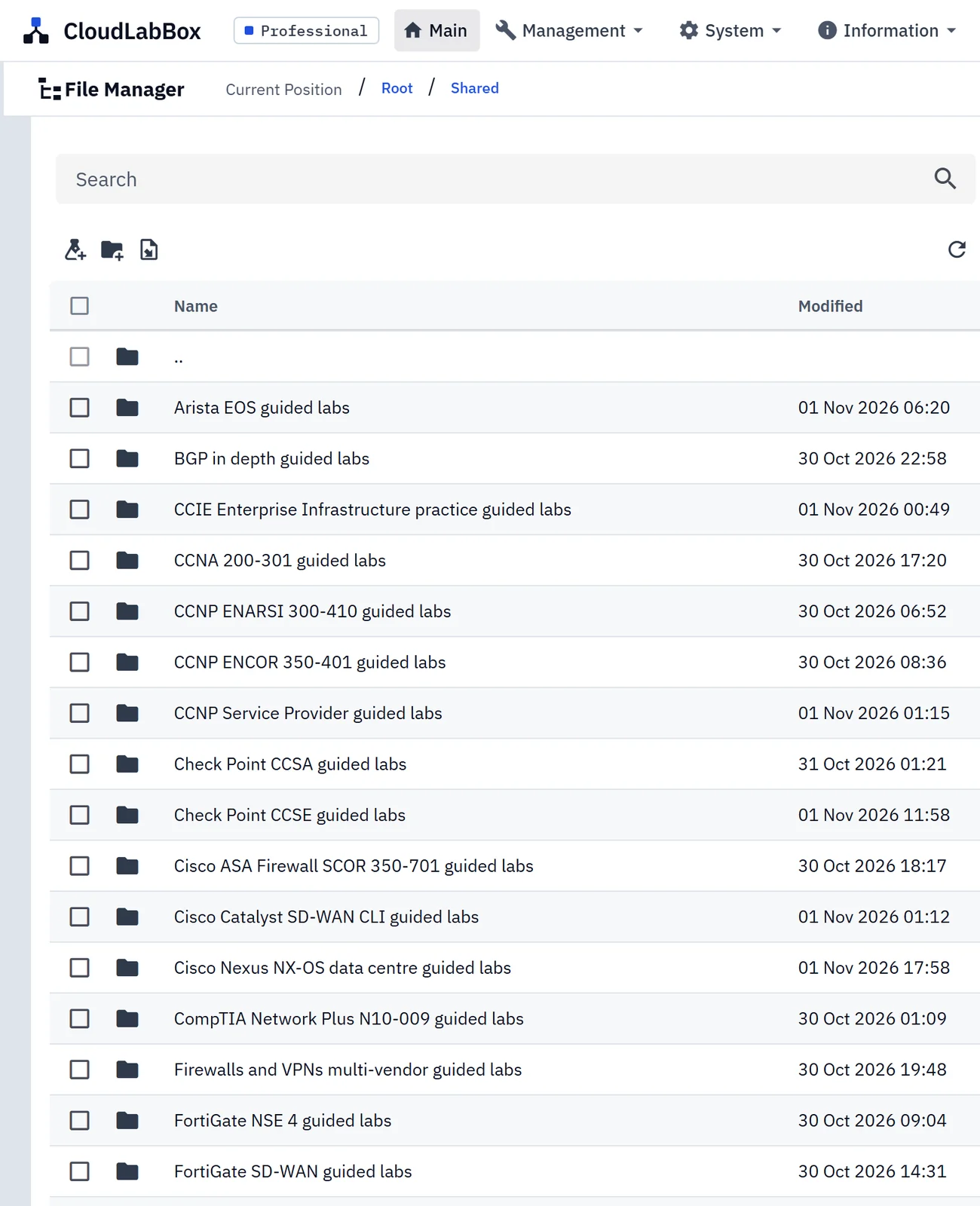
lab.cloudlabbox.com.In File Manager, open Shared, then the folder
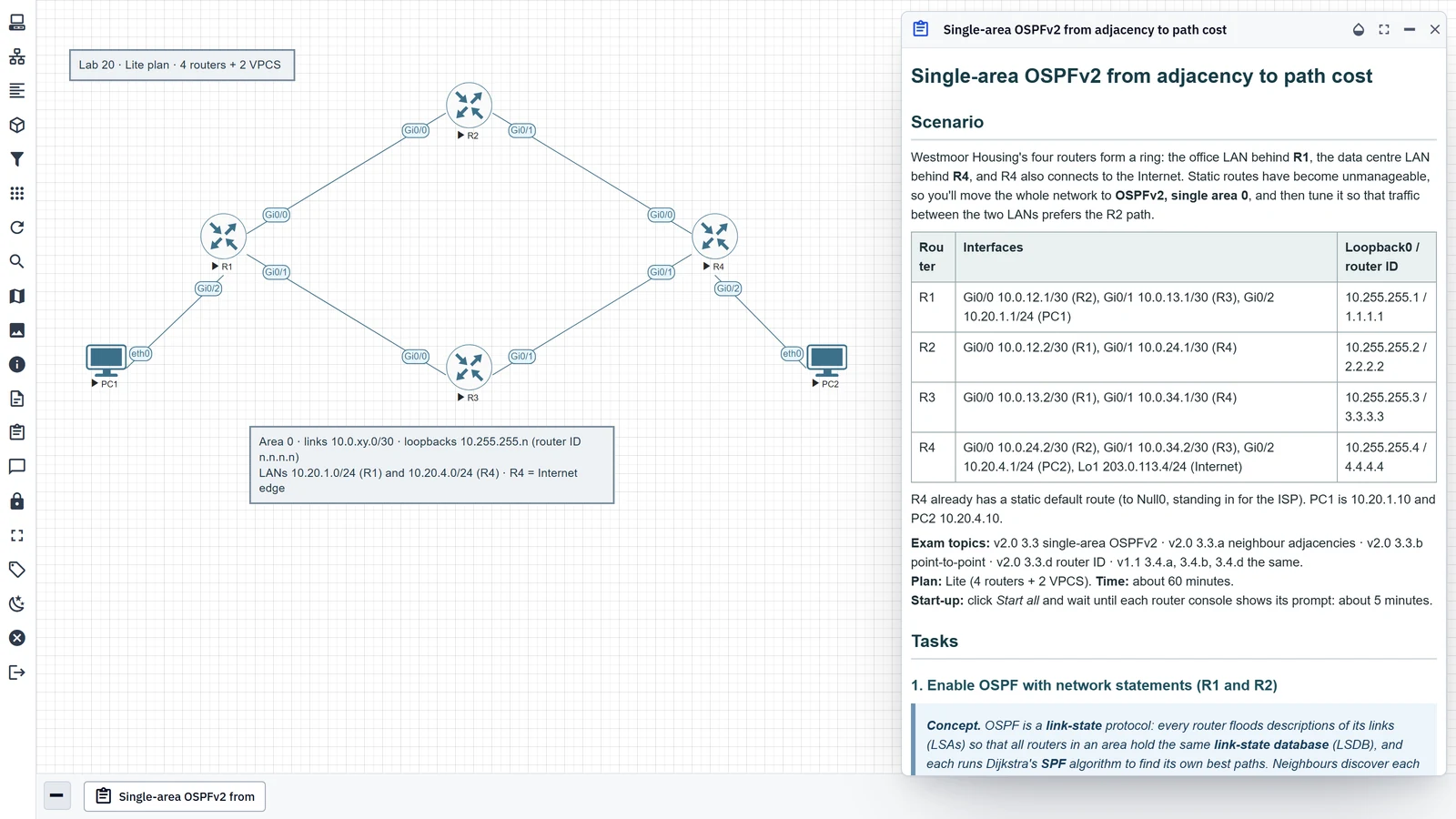
CCNA 200-301 troubleshooting tickets.Open a lab and start its nodes, then open Lab Tasks for the steps.
The labs are read-only. You can start the nodes and configure the devices, but changes to the topology can’t be saved. To change a lab, rebuild it in your own folder.
Questions about the CCNA troubleshooting tickets labs
Are these CCNA troubleshooting tickets labs free?
They’re included with every lab plan, with nothing extra to pay, rather than free. Plans start at £3 a day or £0.50 an hour. To try one first, the free demo gives you 30 minutes with 6 vCPU and 8 GB, and 10 of these labs fit it.
Which plan do I need for these labs?
Standard, with 12 vCPU and 16 GB, runs every lab here. Lite runs 10 of the 12. EVE-NG admits a node by the vCPU and RAM configured on it, so a lab needs the total its running nodes are set to. The biggest here, “Capstone - a Monday morning across three sites”, needs 9 vCPU and 8,704 MB. Each lab’s Lab Tasks pane names the plan it needs.
How long do these labs take to start?
They are ready 4 to 9 minutes after you start them, and most take about 8. That is the time from starting a lab’s nodes to the point where the first task can begin. We measured it in our own test runs, with many other labs running on the platform at the same time, so yours is often quicker. Each lab in the list above has its own time.
Can I run these labs in the free demo?
10 of the 12. The demo is a real workspace with 6 vCPU and 8 GB for 30 minutes, so a lab fits it when its nodes fit in 6 vCPU and 8 GB together, and it is ready within about 10 minutes of starting. Each lab’s page says whether it fits, and its Try it free button opens the demo with that lab named.
Can I change these labs?
You can start the nodes and configure the devices, but the labs are read-only: changes to the topology can’t be saved. To change one, rebuild it in your own folder.
Are these labs from Cisco?
No. CloudLabBox wrote them to follow the topics of the Troubleshoot and Diagnose topics of Cisco’s CCNA exam, 200-301 v2.0, which is first tested on 3 February 2027. They aren’t training material from Cisco, and CloudLabBox is independent of Cisco.
How is a ticket lab different from a normal lab?
Nothing tells you what is broken. Each ticket gives the symptom a user would report, and the lab marks the end state you can prove with show commands, not the steps you took. The method is a hint, and the fault notes sit behind a second hint.
Why does each lab include an AI assistant’s suggested fix?
The CCNA v2.0 topics say you may be asked to judge output and recommendations from AI assistants. Each lab gives you a suggested fix that is partly wrong, for you to test on the devices and correct.
Do these tickets replace the CCNA course?
No. The CCNA course teaches each topic with one lab. These tickets practise finding faults in those topics across several sites at once, which is what the v2.0 exam’s troubleshooting topics ask for.
Try a lab before you choose
The free demo is a real workspace for 30 minutes, with 6 vCPU and 8 GB. 10 of these labs fit it. No card and no email.
More practice labs
- CCNA practice labs online
- CompTIA Network+ practice labs
- CCNP ENCOR practice labs
- CCNP ENARSI practice labs
- CCNP Service Provider practice labs
- Cisco NX-OS data centre practice labs
- CCIE Enterprise Infrastructure practice labs
- Catalyst 9800 wireless configuration labs
- Network automation practice labs
- Network automation in practice: multi-vendor labs
- Cisco ASA firewall practice labs
- Packet analysis labs with Wireshark and tcpdump
- FortiGate practice labs
- FortiGate SD-WAN practice labs
- Cisco Catalyst SD-WAN CLI practice labs
- Palo Alto firewall practice labs
- Check Point CCSA practice labs
- Check Point CCSE practice labs
- Multi-vendor firewall and VPN practice labs
- NetScaler load balancing and ADC labs
- Infoblox DNS, DHCP and IPAM labs
- BGP practice labs across vendors
- Nokia SR OS NRS I practice labs
- MPLS and L3VPN practice labs
- VXLAN EVPN practice labs across vendors
- IPv6 practice labs across vendors
- Linux labs for network engineers
- Multi-vendor troubleshooting practice labs
- JNCIA-Junos practice labs
- JNCIS-ENT practice labs
- JNCIA-SEC and JNCIS-SEC practice labs
- JNCIS-SP JN0-364 practice labs
- JNCIP-ENT JN0-650 practice labs
- Arista EOS practice labs
- HPE Aruba Networking CX switching labs
- Huawei HCIA-Datacom practice labs
- HCIP-Datacom Core practice labs
- MikroTik MTCNA practice labs
- MikroTik MTCRE practice labs
- MikroTik MTCINE practice labs
- MikroTik MTCSE practice labs
- MikroTik MTCTCE practice labs
- MikroTik MTCIPv6E practice labs
- All practice labs
CloudLabBox is independent of Cisco. The labs follow exam topics and aren’t vendor training material; vendor names identify the exams and the images in the workspace.