Catalyst 9800 wireless configuration labs
12 guided labs on a real Catalyst 9800-CL wireless controller running IOS XE 17.12.2. You build WLANs and their security, RADIUS and 802.1X, policy profiles and the policy, site and RF tags, AP join profiles, guest web authentication, FlexConnect and RESTCONF automation in the controller’s web GUI, from a desktop inside the lab, and prove each one at the CLI, in the RADIUS server’s log and in the browser. Two ticket-style troubleshooting labs and a capstone built from a written brief end the course. The labs have no access points, radios or wireless clients: everything is controller configuration.
Before you choose
- How you work
- GUI-ledYou configure the controller in its web GUI from the desktop inside the lab (DESKTOP), and check at its command line. Each console opens in your browser.
- Follows
- Cisco WLCOR 350-101 (v1.0) controller configuration topics, on a Catalyst 9800-CLConfiguration topics from 350-101 WLCOR v1.0 (CCNP and CCIE Wireless core) on a Catalyst 9800-CL running IOS XE 17.12.2. The labs have no access points, no RF and no wireless clients, so AP join, RF behaviour, roaming and client connections are explained but not shown. No affiliation with Cisco.
- Published
- 28 November 2026Labs start already set up, with nothing to paste before the first task.
- Devices
- Catalyst 9800-CL, CloudLabBox desktop and CloudLabBox lab services host
Who these labs are for
For network engineers moving into wireless, CCNP Wireless candidates who want hands-on time with the 9800 configuration model, and anyone who looks after a Catalyst 9800 controller.
There are no access points, RF or wireless clients in these labs, so AP join, RF behaviour, roaming and client connections are explained but not shown. Every check proves what the controller holds. Mobility peers, HA SSO and lobby admin guest accounts aren’t covered.
The 12 labs
Every lab in the folder, as the workspace lists them, with how long each takes to be ready, the smallest plan that runs it and whether it fits the free demo. Read on 28 November 2026.
Catalyst 9800 wireless course 12 labs
Shared folderCatalyst 9800 wireless configuration guided labs
From a first WLAN to WLAN security, RADIUS, profiles and tags, guest access, FlexConnect and RESTCONF, then two ticket labs and a capstone built from a written brief.
Show
-
01
First look at the controller and a first WLAN
Sign in to a Catalyst 9800-CL controller from a desktop in the lab, find your way round its GUI, build a WPA2-Personal staff WLAN and read every setting back at the CLI. Configuration only: the lab has no access points or clients.
1× Catalyst 9800-CL, 1× CloudLabBox desktop
- Level and time
- Beginnerabout 25 min of tasks
- Ready in
- About 7 min
- Smallest plan
- Lite5 vCPU, 5,120 MB
- Free demo
- Yes
-
02
Management services, time and logs
Point the controller at the lab's DNS, NTP and syslog server, add a read-only service-desk account, and find your changes in the controller's own log view and on the syslog server.
1× Catalyst 9800-CL, 1× CloudLabBox desktop, 1× CloudLabBox lab services host
- Level and time
- Beginnerabout 35 min of tasks
- Ready in
- About 7 min
- Smallest plan
- Lite6 vCPU, 5,632 MB
- Free demo
- Yes
-
03
WLAN security: WPA2-PSK, WPA3-SAE and a hidden SSID
Build a WPA3-Personal WLAN with SAE and protected management frames, and a hidden WPA2-PSK WLAN with a client limit, then compare how the controller shows each security type.
1× Catalyst 9800-CL, 1× CloudLabBox desktop, 1× CloudLabBox lab services host
- Level and time
- Beginnerabout 35 min of tasks
- Ready in
- About 7 min
- Smallest plan
- Lite6 vCPU, 5,632 MB
- Free demo
- Yes
-
04
RADIUS and an 802.1X corporate WLAN
Add a RADIUS server and server group, build the 802.1X and accounting method lists, create a WPA2-Enterprise WLAN, and prove the controller and the RADIUS server talk with a test login that shows up in the server's log.
1× Catalyst 9800-CL, 1× CloudLabBox desktop, 1× CloudLabBox lab services host
- Level and time
- Intermediateabout 40 min of tasks
- Ready in
- About 7 min
- Smallest plan
- Lite6 vCPU, 5,632 MB
- Free demo
- Yes
-
05
Policy profiles and the policy tag
Build the staff policy profile (VLAN, timeouts, AAA override, accounting) and the head-office policy tag that pairs both WLANs with it, the step that turns WLAN profiles into something an AP would broadcast.
1× Catalyst 9800-CL, 1× CloudLabBox desktop, 1× CloudLabBox lab services host
- Level and time
- Intermediateabout 35 min of tasks
- Ready in
- About 5 min
- Smallest plan
- Lite6 vCPU, 5,632 MB
- Free demo
- Yes
-
06
Site and RF tags, AP join profiles and AP pre-provisioning
Build an AP join profile, a site tag, a 5 GHz RF profile and an RF tag, then give an access point that hasn't arrived yet all three tags by its MAC address.
1× Catalyst 9800-CL, 1× CloudLabBox desktop, 1× CloudLabBox lab services host
- Level and time
- Intermediateabout 45 min of tasks
- Ready in
- About 5 min
- Smallest plan
- Lite6 vCPU, 5,632 MB
- Free demo
- Yes
-
07
Guest access with local web authentication
Build a guest WLAN with local web authentication: the virtual IP and parameter maps, a login method list that checks visitor accounts on RADIUS, a guest policy profile and the open WLAN with a web policy.
1× Catalyst 9800-CL, 1× CloudLabBox desktop, 1× CloudLabBox lab services host
- Level and time
- Intermediateabout 40 min of tasks
- Ready in
- About 7 min
- Smallest plan
- Lite6 vCPU, 5,632 MB
- Free demo
- Yes
-
08
A FlexConnect branch with local switching
Set up a FlexConnect branch: a flex profile with the native and staff VLANs, a policy profile that switches locally, the branch policy and site tags, and an access point tagged for the branch before it arrives.
1× Catalyst 9800-CL, 1× CloudLabBox desktop, 1× CloudLabBox lab services host
- Level and time
- Intermediateabout 40 min of tasks
- Ready in
- About 5 min
- Smallest plan
- Lite6 vCPU, 5,632 MB
- Free demo
- Yes
-
09
Automate it: RESTCONF and Python
Read the controller's WLANs and tags over RESTCONF in the browser and the terminal, create a WLAN with a JSON PATCH, finish it in the GUI, add it to a policy tag with the API and read a WLAN list with a short Python script.
1× Catalyst 9800-CL, 1× CloudLabBox desktop, 1× CloudLabBox lab services host
- Level and time
- Intermediateabout 45 min of tasks
- Ready in
- About 8 min
- Smallest plan
- Lite6 vCPU, 5,632 MB
- Free demo
- Yes
-
10
Tickets: WLANs, tags and RADIUS
Four tickets from a pilot site: a missing SSID, a RADIUS server that never answers, a WLAN that no AP broadcasts and staff landing in the guest VLAN. Find each fault from its symptom and prove the fix.
1× Catalyst 9800-CL, 1× CloudLabBox desktop, 1× CloudLabBox lab services host
- Level and time
- Intermediateabout 45 min of tasks
- Ready in
- About 5 min
- Smallest plan
- Lite6 vCPU, 5,632 MB
- Free demo
- Yes
-
11
Tickets: management, API and guest access
Four tickets about running the controller: missing syslog, a read-only account that can change things, failing RESTCONF calls and a guest portal that never appears. Find each fault from its symptom and prove the fix.
1× Catalyst 9800-CL, 1× CloudLabBox desktop, 1× CloudLabBox lab services host
- Level and time
- Intermediateabout 45 min of tasks
- Ready in
- About 12 min
- Smallest plan
- Lite6 vCPU, 5,632 MB
- Free demo
- Notoo slow to start
-
12
Capstone: a new warehouse controller from a design brief
Build a new site's whole wireless configuration from a written brief: RADIUS and method lists, an 802.1X and a WPA3 WLAN, the policy profile and all three tags, an AP join profile, an RF profile and two pre-provisioned access points, then prove the RADIUS path and save.
1× Catalyst 9800-CL, 1× CloudLabBox desktop, 1× CloudLabBox lab services host
- Level and time
- Advancedabout 75 min of tasks
- Ready in
- About 4 min
- Smallest plan
- Lite6 vCPU, 5,632 MB
- Free demo
- Yes
Devices and images
The exact Add Node images the labs use, and the vCPU and RAM their nodes are set to. Your plan counts what each running node is set to.
| Device | Image in Add Node | Set to | Labs | Nodes |
|---|---|---|---|---|
| Cisco Catalyst 9800-CL | c9800cl-17.12.02 | 4 vCPU, 4,096 MB | 12 | 12 |
| CloudLabBox desktop (Docker) | CloudLabBox’s own desktop image | 1 vCPU, 1,024 MB | 12 | 12 |
| CloudLabBox lab services host (Docker) | CloudLabBox’s own services image (DNS, RADIUS, TACACS+, SSH and more) | 1 vCPU, 512 MB | 11 | 11 |
How to open the labs
Sign in to your workspace at
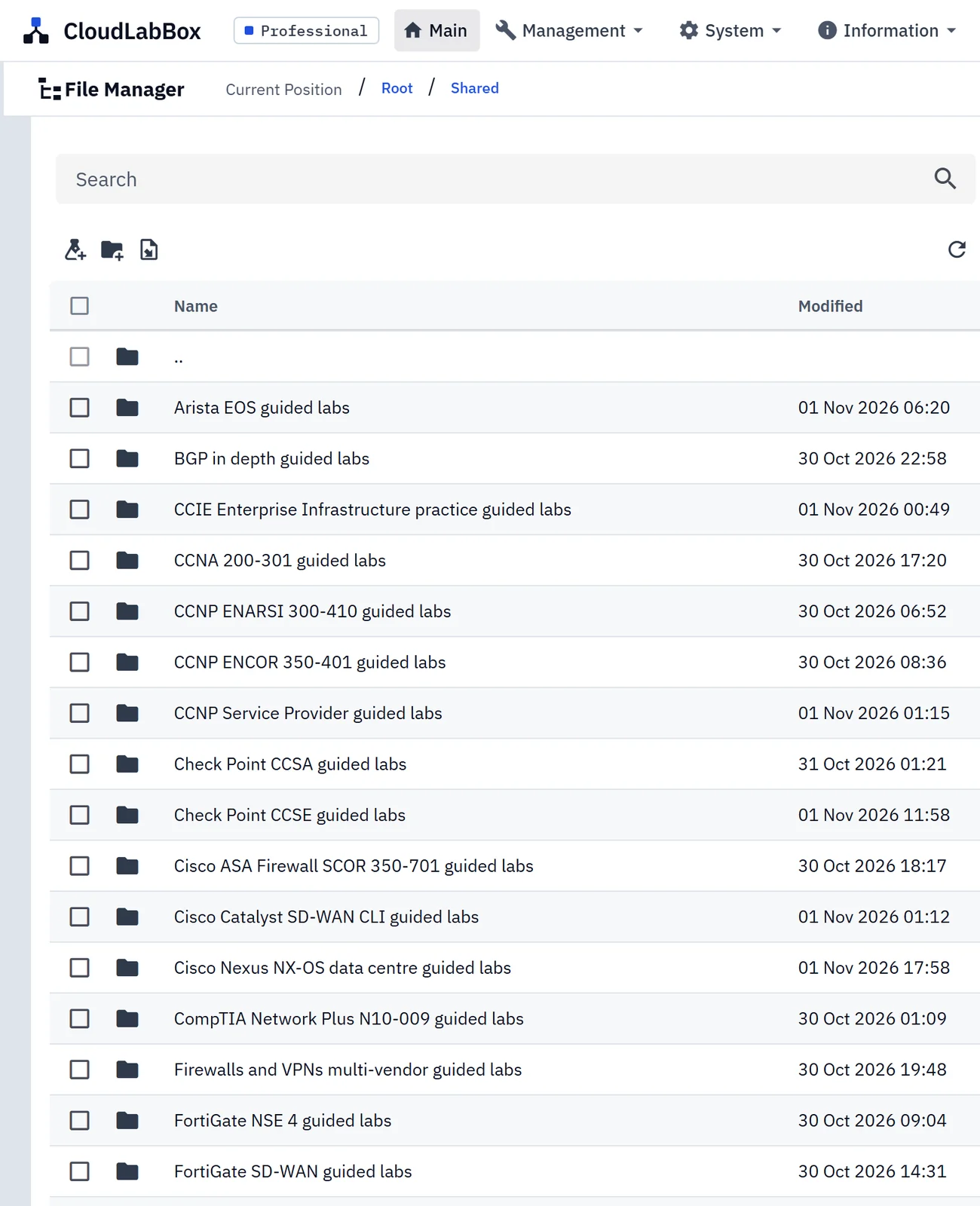
lab.cloudlabbox.com.In File Manager, open Shared, then the folder
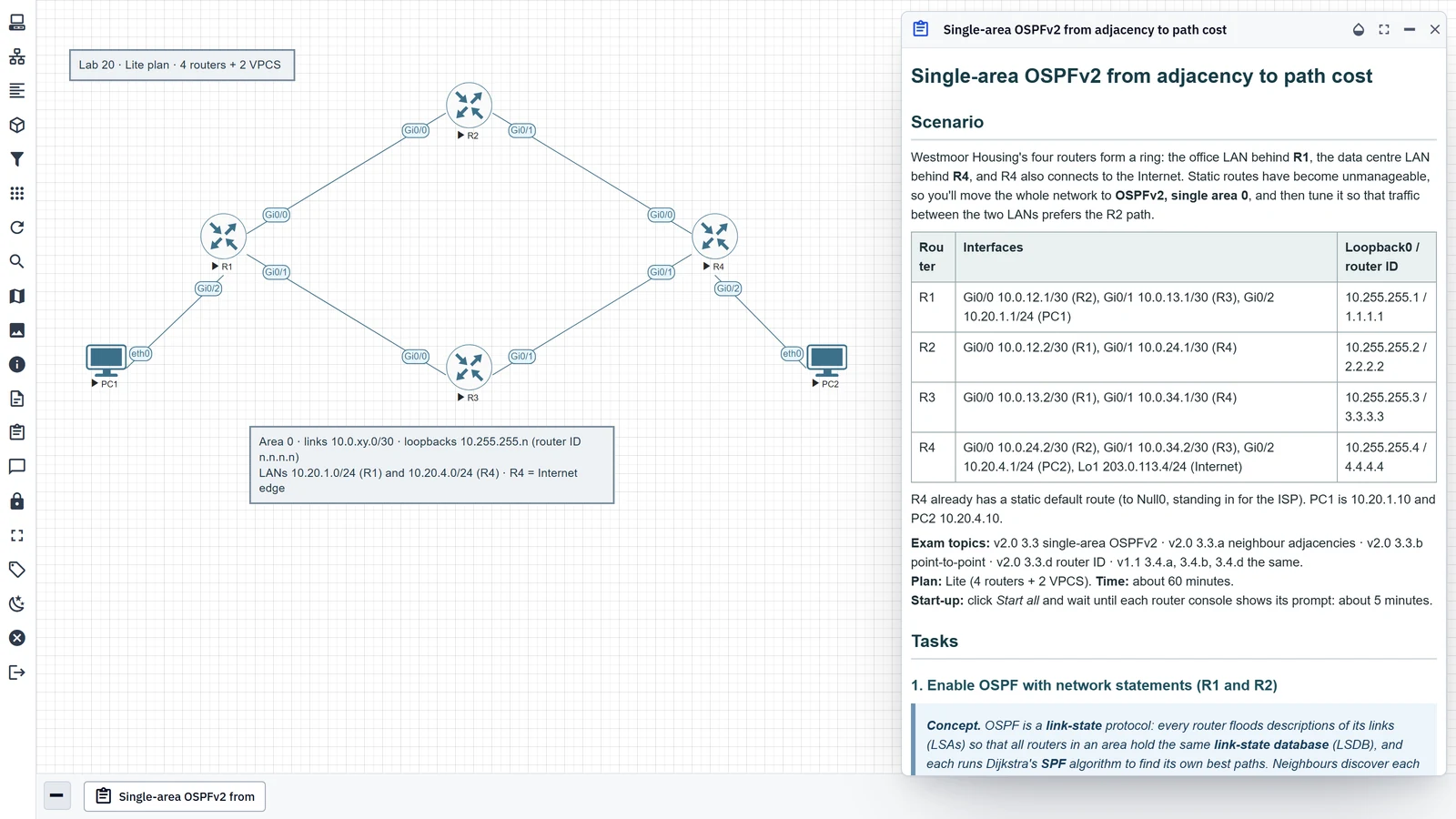
Catalyst 9800 wireless configuration guided labs.Open a lab and start its nodes, then open Lab Tasks for the steps.
The labs are read-only. You can start the nodes and configure the devices, but changes to the topology can’t be saved. To change a lab, rebuild it in your own folder.
Questions about the Catalyst 9800 wireless labs
Are these Catalyst 9800 wireless labs free?
They’re included with every lab plan, with nothing extra to pay, rather than free. Plans start at £3 a day or £0.50 an hour. To try one first, the free demo gives you 30 minutes with 6 vCPU and 8 GB, and 11 of these labs fit it.
Which plan do I need for these labs?
Lite, with 6 vCPU and 8 GB, runs every lab here. EVE-NG admits a node by the vCPU and RAM configured on it, so a lab needs the total its running nodes are set to. The biggest here, “Management services time and logs”, needs 6 vCPU and 5,632 MB. Each lab’s Lab Tasks pane names the plan it needs.
How long do these labs take to start?
They are ready 4 to 12 minutes after you start them, and most take about 7. That is the time from starting a lab’s nodes to the point where the first task can begin. We measured it in our own test runs, with many other labs running on the platform at the same time, so yours is often quicker. Each lab in the list above has its own time.
Can I run these labs in the free demo?
11 of the 12. The demo is a real workspace with 6 vCPU and 8 GB for 30 minutes, so a lab fits it when its nodes fit in 6 vCPU and 8 GB together, and it is ready within about 10 minutes of starting. Each lab’s page says whether it fits, and its Try it free button opens the demo with that lab named.
Can I change these labs?
You can start the nodes and configure the devices, but the labs are read-only: changes to the topology can’t be saved. To change one, rebuild it in your own folder.
Are these labs from Cisco?
No. CloudLabBox wrote them to follow the topics of Cisco’s CCNP and CCIE Wireless core exam, 350-101 WLCOR v1.0, in the parts a wireless controller can show without access points or clients. They aren’t training material from Cisco, and CloudLabBox is independent of Cisco.
Are there access points or wireless clients in these labs?
No. The labs have no access points, radios or wireless clients, so they cover controller configuration: WLANs and their security, AAA, profiles and tags, guest access, FlexConnect and the controller’s API. AP join, RF behaviour, roaming and client connections are explained in the labs but not shown, and every check proves what the controller holds.
How do I reach the controller’s web GUI?
From the desktop inside each lab, DESKTOP: open its console, maximise the window and browse to the controller’s address in Firefox. Right-click Web page doesn’t reach the controller, because its management address is on a VLAN interface. For the CLI, open the controller’s own console.
Which IOS XE version do the labs run?
IOS XE 17.12.2 on a Catalyst 9800-CL. Each task gives the path in the GUI of that release, and the hints give the CLI.
Try a lab before you choose
The free demo is a real workspace for 30 minutes, with 6 vCPU and 8 GB. 11 of these labs fit it. No card and no email.
More practice labs
- CCNA practice labs online
- CCNA troubleshooting ticket labs
- CompTIA Network+ practice labs
- CCNP ENCOR practice labs
- CCNP ENARSI practice labs
- CCNP Service Provider practice labs
- Cisco NX-OS data centre practice labs
- CCIE Enterprise Infrastructure practice labs
- Network automation practice labs
- Network automation in practice: multi-vendor labs
- Cisco ASA firewall practice labs
- Packet analysis labs with Wireshark and tcpdump
- FortiGate practice labs
- FortiGate SD-WAN practice labs
- Cisco Catalyst SD-WAN CLI practice labs
- Palo Alto firewall practice labs
- Check Point CCSA practice labs
- Check Point CCSE practice labs
- Multi-vendor firewall and VPN practice labs
- NetScaler load balancing and ADC labs
- Infoblox DNS, DHCP and IPAM labs
- BGP practice labs across vendors
- Nokia SR OS NRS I practice labs
- MPLS and L3VPN practice labs
- VXLAN EVPN practice labs across vendors
- IPv6 practice labs across vendors
- Linux labs for network engineers
- Multi-vendor troubleshooting practice labs
- JNCIA-Junos practice labs
- JNCIS-ENT practice labs
- JNCIA-SEC and JNCIS-SEC practice labs
- JNCIS-SP JN0-364 practice labs
- JNCIP-ENT JN0-650 practice labs
- Arista EOS practice labs
- HPE Aruba Networking CX switching labs
- Huawei HCIA-Datacom practice labs
- HCIP-Datacom Core practice labs
- MikroTik MTCNA practice labs
- MikroTik MTCRE practice labs
- MikroTik MTCINE practice labs
- MikroTik MTCSE practice labs
- MikroTik MTCTCE practice labs
- MikroTik MTCIPv6E practice labs
- All practice labs
CloudLabBox is independent of Cisco. The labs follow exam topics and aren’t vendor training material; vendor names identify the exams and the images in the workspace.