Network automation in practice: multi-vendor labs
11 guided labs that drive six vendors’ real network operating systems through their own APIs and grade you on the state of the network: NETCONF transactions with confirmed commits on IOS XE and Junos, EOS configuration sessions, RESTCONF and NX-API, the FortiOS REST and PAN-OS XML APIs, one YAML source of truth rendered with Jinja2 into three vendors’ configuration, Ansible roles across four platforms, acceptance tests and drift detection, and a change pipeline that rolls itself back. Two troubleshooting labs and a capstone end the course. You work in VS Code in your browser, on a workstation with Python, Ansible, NAPALM, ncclient and git ready.
Before you choose
- How you work
- CLI-ledYou write and run code in VS Code in your browser, on the lab’s workstation (devbox), against each device’s API, and check from there. Each lab’s pane says how to open the editor.
- Follows
- Cisco CCNP Automation skills (AUTOCOR 350-901 and ENAUTO 300-435, v2.0), applied across six vendorsThe labs teach the hands-on skills of the CCNP Automation core and ENAUTO exams on our images (IOS XE 17.3, NX-OS 9.3, Junos 24.4, EOS 4.33, FortiOS 7.0, PAN-OS 11.2), and the same skills on other vendors. Everything runs offline: pyATS, Terraform, controllers and hosted Git or CI are taught as patterns, not run.
- Published
- 28 November 2026Labs start already set up, with nothing to paste before the first task.
- Devices
- CloudLabBox code workstation, vEOS, vSRX NextGen template, IOSv, FortiGate, CSR 1000v, Nexus 9000v and VM-Series
Who these labs are for
For network engineers who already script a little, for example after our network automation course, and now automate networks with more than one vendor, and anyone preparing for Cisco’s CCNP Automation core exam, AUTOCOR 350-901 v2.0.
Everything runs inside the lab, offline. pyATS, pytest, Terraform, controllers and hosted Git or CI aren’t run and are taught as patterns: tests use Python’s unittest, the change pipeline is a script and Git is local.
The 11 labs
Every lab in the folder, as the workspace lists them, with how long each takes to be ready, the smallest plan that runs it and whether it fits the free demo. Read on 28 November 2026.
Network automation in practice course 11 labs
Shared folderNetwork Automation in Practice - multi-vendor professional guided labs
Device APIs first, then a source of truth, Ansible, validation and a change that rolls itself back, then two ticket labs and a capstone. The starter files are already on the workstation.
Show
-
01
First look - two vendors from one script
A quick start on this course's workstation: open the browser code editor, read an Arista switch and a FortiGate through their APIs into one inventory table, then give the FortiGate an address object with a script that is safe to run twice, and see the result in the FortiGate's own web interface.
1× FortiGate, 1× vEOS, 1× CloudLabBox code workstation
- Level and time
- Intermediateabout 25 min of tasks
- Ready in
- About 6 min
- Smallest plan
- Lite3 vCPU, 6,144 MB
- Free demo
- Yes
-
02
Transactions across vendors - candidate validate and confirmed commit
Write one transaction layer for three vendors: NETCONF's candidate datastore, lock, validate and confirmed commit on IOS XE and Junos, and an EOS configuration session with a commit timer. Push one change to all three as a transaction, then send a canary that nobody confirms and watch every device put itself back.
1× CSR 1000v, 1× vEOS, 1× vSRX NextGen template, 1× CloudLabBox code workstation
- Level and time
- Advancedabout 60 min of tasks
- Ready in
- About 15 min
- Smallest plan
- Standard5 vCPU, 11,776 MB
- Free demo
- Notoo big for it
-
03
Declarative changes - RESTCONF replace on IOS XE and NX-API deltas on NX-OS
Make two Cisco platforms hold exactly the NTP servers and VLANs in one data file: on IOS XE, see the difference between RESTCONF PATCH (merge) and PUT (replace) on a YANG list; on NX-OS, read structured JSON through NX-API, work out the delta, take a checkpoint, apply only the difference and inspect the rollback patch.
1× CSR 1000v, 1× Nexus 9000v, 1× CloudLabBox code workstation
- Level and time
- Advancedabout 70 min of tasks
- Ready in
- About 15 min
- Smallest plan
- Standard4 vCPU, 12,288 MB
- Free demo
- Notoo big for it
-
04
Firewall policy as code - FortiOS REST and PAN-OS XML API
Keep Fenwick Rail's monitoring rule in one YAML file and make a FortiGate and a Palo Alto Networks firewall hold exactly that, through their own APIs: FortiOS REST with a session login, PAN-OS XML with an API key, a candidate configuration and a commit job. Every object is read before it is written, so the second run changes nothing and commits nothing.
1× FortiGate, 1× VM-Series, 1× CloudLabBox code workstation
- Level and time
- Advancedabout 75 min of tasks
- Ready in
- About 17 min
- Smallest plan
- Standard4 vCPU, 9,728 MB
- Free demo
- Notoo big for it
-
05
Render three vendors from one source of truth
Build Fenwick Rail's core from one YAML source of truth: lint the data, finish the EOS and Junos Jinja2 templates, render three vendors' configuration from the same model, and deploy it with NAPALM using each device's own diff, until a second deploy changes nothing.
1× IOSv, 1× vEOS, 1× vSRX NextGen template, 1× CloudLabBox code workstation
- Level and time
- Advancedabout 75 min of tasks
- Ready in
- About 18 min
- Smallest plan
- Standard5 vCPU, 8,192 MB
- Free demo
- Notoo big for it
-
06
Ansible roles across IOS EOS Junos and FortiGate
Turn Fenwick Rail's base services into one Ansible role that drives four vendors from the same data: platform task files, resource modules that remove what isn't in the data, a FortiGate driven through its REST API, a firewall-objects role, tags, check mode with diffs and an idempotence gate.
1× FortiGate, 1× IOSv, 1× vEOS, 1× vSRX NextGen template, 1× CloudLabBox code workstation
- Level and time
- Advancedabout 80 min of tasks
- Ready in
- About 15 min
- Smallest plan
- Standard6 vCPU, 10,240 MB
- Free demo
- Notoo big for it
-
07
State validation and configuration drift
Fenwick Rail's core was built from its source of truth, then people changed it by hand. Write acceptance tests that read live state from IOS, EOS and Junos and compare it with the data, write a compliance check that lets each device report its own drift in the managed sections only, then put the network back without touching what is out of scope.
1× IOSv, 1× vEOS, 1× vSRX NextGen template, 1× CloudLabBox code workstation
- Level and time
- Advancedabout 80 min of tasks
- Ready in
- About 15 min
- Smallest plan
- Standard5 vCPU, 8,192 MB
- Free demo
- Notoo big for it
-
08
Pre-checks post-checks and automatic rollback
Run a real change request through a pipeline that snapshots the core, commits on EOS and Junos with a revert timer, checks the result against rules, and confirms only when nothing regressed. The first attempt has a mistake: watch the network put itself back, find the error in the change, and run it again until it is confirmed.
1× IOSv, 1× vEOS, 1× vSRX NextGen template, 1× CloudLabBox code workstation
- Level and time
- Advancedabout 75 min of tasks
- Ready in
- About 16 min
- Smallest plan
- Standard5 vCPU, 8,192 MB
- Free demo
- Notoo big for it
-
09
Troubleshooting tickets - the automation is broken
Four tickets against Fenwick Rail's own automation: a deploy that a template breaks, a nightly backup that fails for one device and silently saves garbage for another, an Ansible job that reports changes every night, and a play that never reaches the FortiGate. Read the errors, fix the code, and prove each job works against the devices.
1× FortiGate, 1× IOSv, 1× vEOS, 1× vSRX NextGen template, 1× CloudLabBox code workstation
- Level and time
- Advancedabout 70 min of tasks
- Ready in
- About 19 min
- Smallest plan
- Standard6 vCPU, 10,240 MB
- Free demo
- Notoo big for it
-
10
Troubleshooting tickets - the network is red
Three tickets in Fenwick Rail's core, worked with the team's own tooling: acceptance tests and a compliance check point at the symptoms, git history tells data mistakes from device mistakes, and each fault is fixed in the right place, the data or the device, without the tools making things worse.
1× IOSv, 1× vEOS, 1× vSRX NextGen template, 1× CloudLabBox code workstation
- Level and time
- Advancedabout 70 min of tasks
- Ready in
- About 15 min
- Smallest plan
- Standard5 vCPU, 8,192 MB
- Free demo
- Notoo big for it
-
11
Capstone - bring a new site live from the source of truth
Bring Fenwick Rail's Bristol depot live the way the team now works: model the new IOS XE router and its links in the source of truth, extend a template for the site LAN, preview and deploy to three vendors, give the FortiGate the new site's objects from the same data with Ansible, extend the acceptance tests, prove compliance and idempotence, and tag the release.
1× CSR 1000v, 1× FortiGate, 1× vEOS, 1× vSRX NextGen template, 1× CloudLabBox code workstation
- Level and time
- Advancedabout 150 min of tasks
- Ready in
- About 13 min
- Smallest plan
- Standard6 vCPU, 13,824 MB
- Free demo
- Notoo big for it
Devices and images
The exact Add Node images the labs use, and the vCPU and RAM their nodes are set to. Your plan counts what each running node is set to.
| Device | Image in Add Node | Set to | Labs | Nodes |
|---|---|---|---|---|
| CloudLabBox code workstation (Docker) | CloudLabBox’s own workstation image, with a browser code editor | 1 vCPU, 2,048 MB | 11 | 11 |
| Arista vEOS | veos-4.33.1.1F | 1 vCPU, 2,048 MB | 9 | 9 |
| Juniper vSRX NextGen template | vsrxng-24.4R1.9 | 2 vCPU, 3,584 MB | 8 | 8 |
| Cisco IOSv | vios-adventerprisek9-m.spa.159-3.m9 | 1 vCPU, 512 MB | 6 | 6 |
| Fortinet FortiGate | fortinet-FGT-v7.0.17.M-build0682 | 1 vCPU, 2,048 MB | 5 | 5 |
| Cisco CSR 1000v | csr1000vng-universalk9.17.03.08a-serial | 1 vCPU, 4,096 MB | 3 | 3 |
| Cisco Nexus 9000v | nxosv9k-9300v-9.3.10 | 2 vCPU, 6,144 MB | 1 | 1 |
| Palo Alto Networks VM-Series (PAN-OS) | paloalto-11.2.5 | 2 vCPU, 5,632 MB | 1 | 1 |
How to open the labs
Sign in to your workspace at
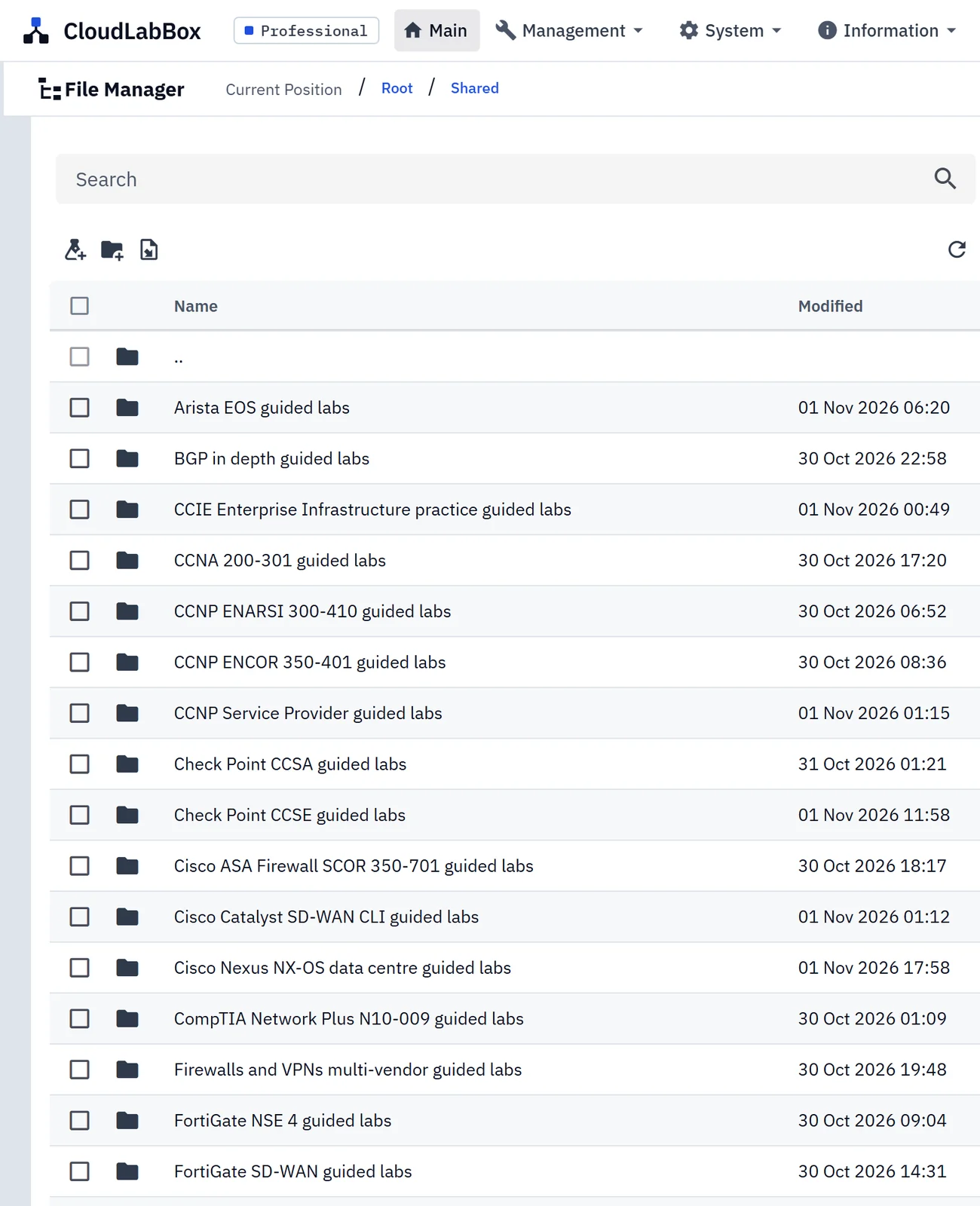
lab.cloudlabbox.com.In File Manager, open Shared, then the folder
Network Automation in Practice - multi-vendor professional guided labs.Open a lab and start its nodes, then open Lab Tasks for the steps.
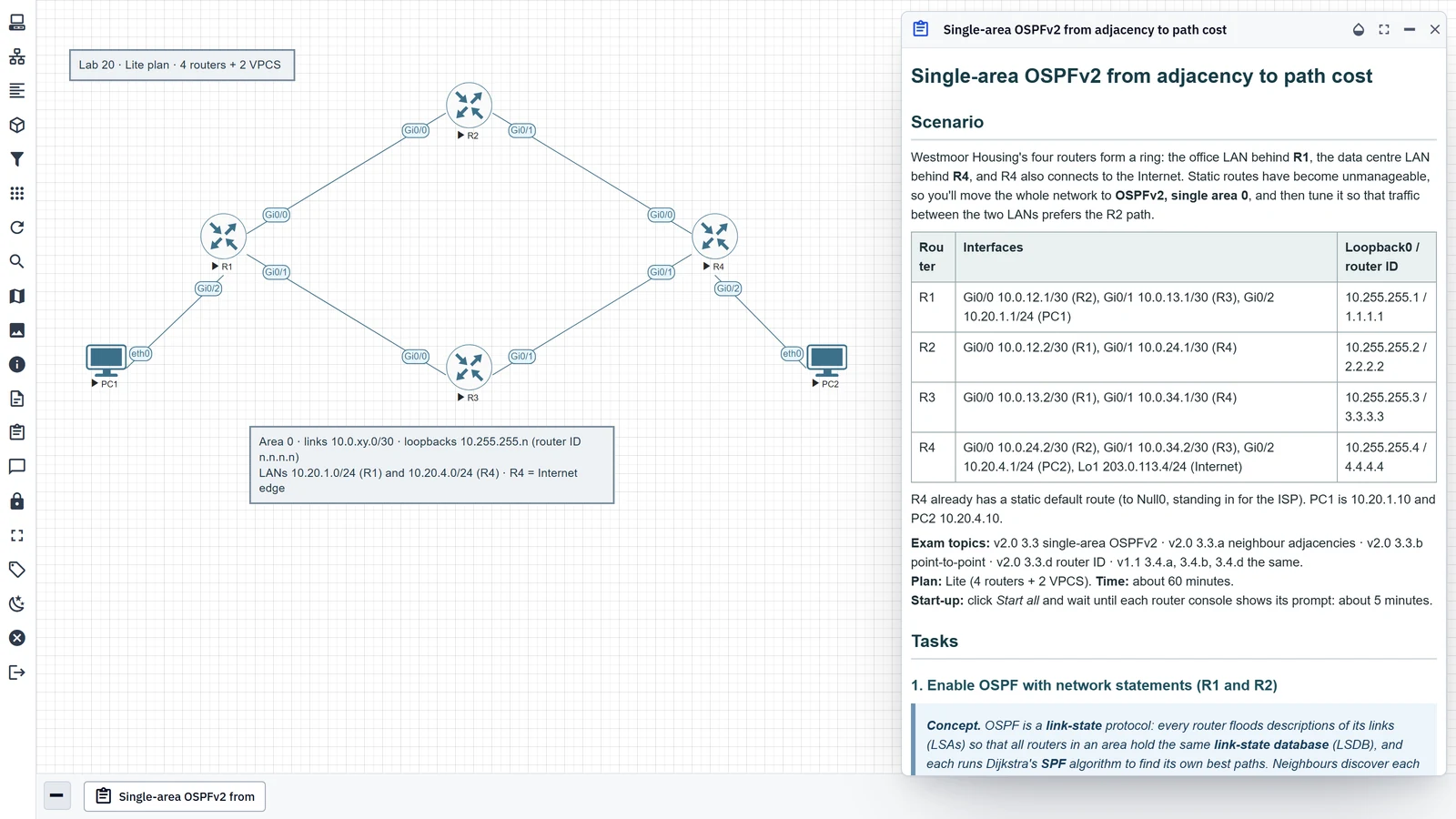
The labs are read-only. You can start the nodes and configure the devices, but changes to the topology can’t be saved. To change a lab, rebuild it in your own folder.
Questions about the Network automation in practice labs
Are these Network automation in practice labs free?
They’re included with every lab plan, with nothing extra to pay, rather than free. Plans start at £3 a day or £0.50 an hour. To try one first, the free demo gives you 30 minutes with 6 vCPU and 8 GB, and 1 of these labs fits it.
Which plan do I need for these labs?
Standard, with 12 vCPU and 16 GB, runs every lab here. Lite runs 1 of the 11. EVE-NG admits a node by the vCPU and RAM configured on it, so a lab needs the total its running nodes are set to. The biggest here, “Capstone - bring a new site live from the source of truth”, needs 6 vCPU and 13,824 MB. Each lab’s Lab Tasks pane names the plan it needs.
How long do these labs take to start?
They are ready 6 to 19 minutes after you start them, and most take about 15. That is the time from starting a lab’s nodes to the point where the first task can begin. We measured it in our own test runs, with many other labs running on the platform at the same time, so yours is often quicker. Each lab in the list above has its own time.
Can I run these labs in the free demo?
1 of the 11. The demo is a real workspace with 6 vCPU and 8 GB for 30 minutes, so a lab fits it when its nodes fit in 6 vCPU and 8 GB together, and it is ready within about 10 minutes of starting. Each lab’s page says whether it fits, and its Try it free button opens the demo with that lab named.
Can I change these labs?
You can start the nodes and configure the devices, but the labs are read-only: changes to the topology can’t be saved. To change one, rebuild it in your own folder.
Are these labs from the vendors?
No. CloudLabBox wrote them to follow the topics of Cisco’s CCNP Automation exams, AUTOCOR 350-901 v2.0 and ENAUTO 300-435 v2.0, in their hands-on skills, applied across Cisco IOS XE and NX-OS, Juniper Junos, Arista EOS, FortiOS and PAN-OS. They aren’t training material from the vendors, and CloudLabBox is independent of Arista Networks, Cisco, Fortinet, Juniper Networks and Palo Alto Networks.
Which device versions do the labs use?
IOS XE 17.3 on CSR 1000v, IOS 15.9 on IOSv, NX-OS 9.3 on the Nexus 9300v, Junos 24.4 on vSRX, EOS 4.33 on vEOS, FortiOS 7.0 and PAN-OS 11.2.
Do the labs use pyATS or Terraform?
No. The labs run offline, and the workstation has no pyATS, pytest or Terraform, and no controller or hosted Git or CI. Those are taught as patterns: tests use Python’s unittest, the change pipeline is a script and Git is local.
How is this different from the network automation course?
The network automation course builds the skills one at a time, mostly on Cisco IOS XE and IOS. This one assumes you script already and works across six vendors at once, with a source of truth, tests and rollback, and grades you on the end state of the network.
Try a lab before you choose
The free demo is a real workspace for 30 minutes, with 6 vCPU and 8 GB. 1 of these labs fits it. No card and no email.
More practice labs
- CCNA practice labs online
- CCNA troubleshooting ticket labs
- CompTIA Network+ practice labs
- CCNP ENCOR practice labs
- CCNP ENARSI practice labs
- CCNP Service Provider practice labs
- Cisco NX-OS data centre practice labs
- CCIE Enterprise Infrastructure practice labs
- Catalyst 9800 wireless configuration labs
- Network automation practice labs
- Cisco ASA firewall practice labs
- Packet analysis labs with Wireshark and tcpdump
- FortiGate practice labs
- FortiGate SD-WAN practice labs
- Cisco Catalyst SD-WAN CLI practice labs
- Palo Alto firewall practice labs
- Check Point CCSA practice labs
- Check Point CCSE practice labs
- Multi-vendor firewall and VPN practice labs
- NetScaler load balancing and ADC labs
- Infoblox DNS, DHCP and IPAM labs
- BGP practice labs across vendors
- Nokia SR OS NRS I practice labs
- MPLS and L3VPN practice labs
- VXLAN EVPN practice labs across vendors
- IPv6 practice labs across vendors
- Linux labs for network engineers
- Multi-vendor troubleshooting practice labs
- JNCIA-Junos practice labs
- JNCIS-ENT practice labs
- JNCIA-SEC and JNCIS-SEC practice labs
- JNCIS-SP JN0-364 practice labs
- JNCIP-ENT JN0-650 practice labs
- Arista EOS practice labs
- HPE Aruba Networking CX switching labs
- Huawei HCIA-Datacom practice labs
- HCIP-Datacom Core practice labs
- MikroTik MTCNA practice labs
- MikroTik MTCRE practice labs
- MikroTik MTCINE practice labs
- MikroTik MTCSE practice labs
- MikroTik MTCTCE practice labs
- MikroTik MTCIPv6E practice labs
- All practice labs
CloudLabBox is independent of Arista Networks, Cisco, Fortinet, Juniper Networks and Palo Alto Networks. The labs follow exam topics and aren’t vendor training material; vendor names identify the exams and the images in the workspace.