NetScaler load balancing and ADC labs
13 guided labs on a real NetScaler VPX 14.1, from the first sign-in to load balancing, health monitors, persistence, SSL offload with a lab certificate authority, content switching, rewrite and responder policies, an HA pair, two ticket-style troubleshooting labs and a capstone. You build each feature in the NetScaler GUI, as admins do, and prove it at the CLI and in a browser.
Before you choose
- How you work
- GUI-ledYou work in each device’s web interface. To reach the interface, use the desktop inside the lab (
DESKTOP). - Follows
- Load-balancing and ADC skills on NetScaler VPX 14.1 (no exam)This course isn’t mapped to an exam and claims none. The labs run NetScaler VPX 14.1 as the Express edition (no licence file, 20 Mbps), and each lab maps its ideas to F5 BIG-IP LTM terms; it has no F5 image and no affiliation with NetScaler or F5.
- Published
- 27 November 2026Labs start already set up, with nothing to paste before the first task.
- Devices
- EVE-NG GUI server, NetScaler ADC VPX and CloudLabBox desktop
Who these labs are for
For network and infrastructure engineers who run, or are about to run, load balancers and application delivery controllers, and anyone moving into ADC work from routing and switching.
The skills carry over to F5 BIG-IP LTM: every lab names the BIG-IP equivalent of what you build. There is no F5 image in these labs.
If you know F5 BIG-IP
The ideas map one to one; only the names differ. Every lab names the BIG-IP equivalent of what you build, so the skills carry over. There is no F5 image in the labs.
The 13 labs
Every lab in the folder, as the workspace lists them, with how long each takes to be ready, the smallest plan that runs it and whether it fits the free demo. Read on 27 November 2026.
NetScaler ADC course 13 labs
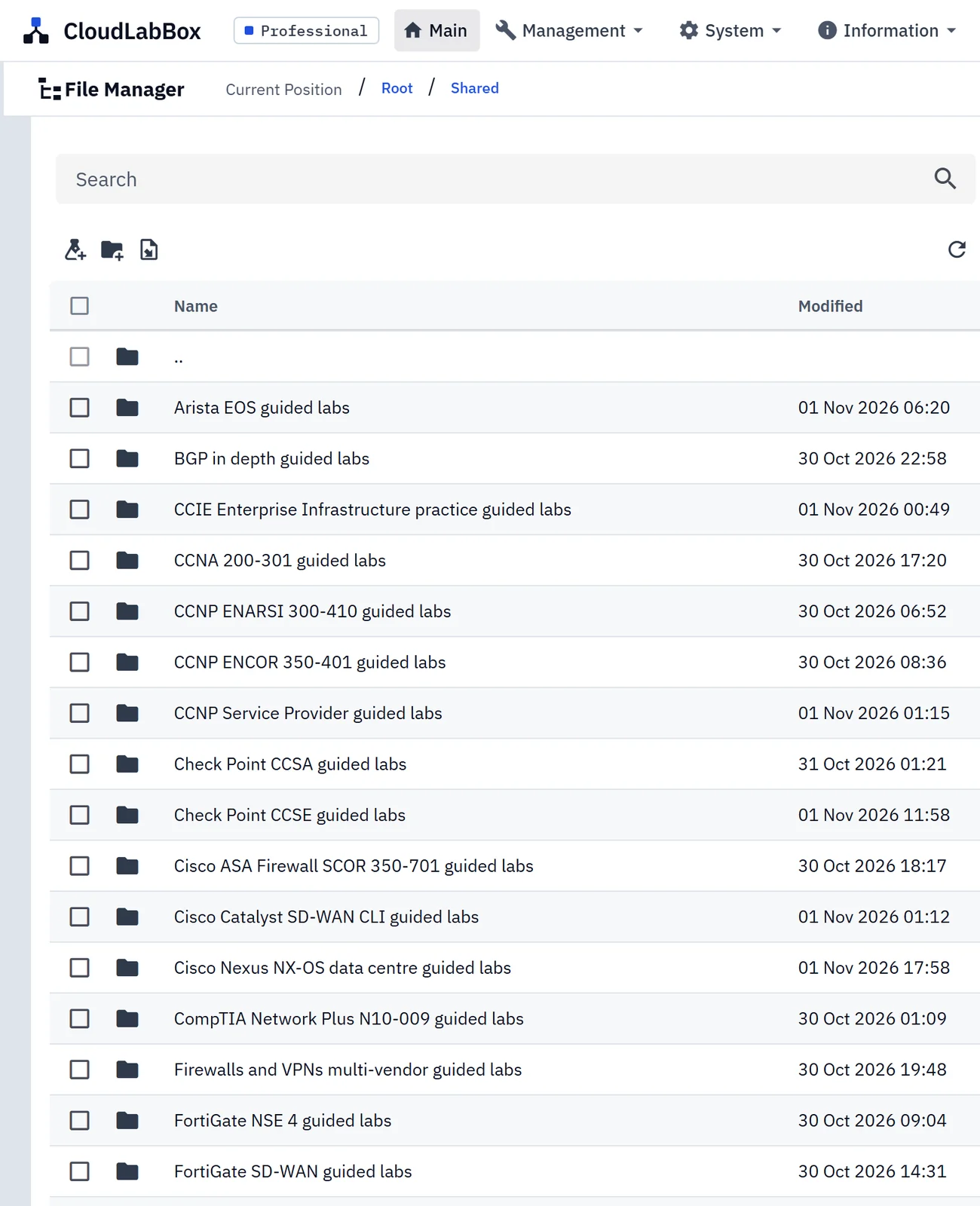
Shared folderLoad balancing and ADC on NetScaler guided labs
From a first load-balanced site to an HA pair, then two ticket labs and a capstone. The shop page behind the NetScaler shows which server answered and what reached it.
-
01
First sign-in and a first load-balanced site
Sign in to a factory-fresh NetScaler, give it a subnet IP and put a two-server web shop behind one round-robin virtual server, then watch the pages alternate in the browser.
1× NetScaler ADC VPX, 2× EVE-NG GUI server, 1× CloudLabBox desktop
- Level and time
- Beginnerabout 35 min of tasks
- Ready in
- About 5 min
- Smallest plan
- Lite5 vCPU, 5,120 MB
- Free demo
- Yes
-
02
Networking and admin accounts
Put the server side in its own VLAN, close unused management services, add a read-only admin and read the audit log, then save and compare the running and saved configuration.
1× NetScaler ADC VPX, 2× EVE-NG GUI server, 1× CloudLabBox desktop
- Level and time
- Beginnerabout 45 min of tasks
- Ready in
- About 7 min
- Smallest plan
- Lite5 vCPU, 5,120 MB
- Free demo
- Yes
-
03
Service groups and load-balancing methods
Move the shop to a service group, see least connection steer around slow requests, weight a bigger server three to one and drain a server gracefully for maintenance.
1× NetScaler ADC VPX, 2× EVE-NG GUI server, 1× CloudLabBox desktop
- Level and time
- Beginnerabout 45 min of tasks
- Ready in
- About 7 min
- Smallest plan
- Lite5 vCPU, 5,120 MB
- Free demo
- Yes
-
04
Monitors and the sorry page
Watch the default TCP monitor miss a crashed application, replace it with an HTTP health check, stop a server outright, and add a backup virtual server with a sorry page for a total outage.
1× NetScaler ADC VPX, 2× EVE-NG GUI server, 1× CloudLabBox desktop
- Level and time
- Beginnerabout 45 min of tasks
- Ready in
- About 5 min
- Smallest plan
- Lite5 vCPU, 5,120 MB
- Free demo
- Yes
-
05
Persistence
Keep each shopper on one server with cookie-insert persistence and a source-IP fallback, read the persistence table, and see that a failed server still loses its sticky clients.
1× NetScaler ADC VPX, 2× EVE-NG GUI server, 1× CloudLabBox desktop
- Level and time
- Intermediateabout 35 min of tasks
- Ready in
- About 7 min
- Smallest plan
- Lite5 vCPU, 5,120 MB
- Free demo
- Yes
-
06
SSL offload with a lab CA
Make NS1 a small certificate authority, issue a certificate with SANs for the shop, publish an HTTPS virtual server that offloads TLS for plain-HTTP servers, refuse old TLS and trust the CA in Firefox.
1× NetScaler ADC VPX, 2× EVE-NG GUI server, 1× CloudLabBox desktop
- Level and time
- Intermediateabout 60 min of tasks
- Ready in
- About 7 min
- Smallest plan
- Lite5 vCPU, 5,120 MB
- Free demo
- Yes
-
07
Content switching
Put one front-door address in front of three services: a content-switching virtual server sends image and API requests to their own load-balanced pools and everything else to the shop.
1× NetScaler ADC VPX, 2× EVE-NG GUI server, 1× CloudLabBox desktop
- Level and time
- Intermediateabout 50 min of tasks
- Ready in
- About 7 min
- Smallest plan
- Lite5 vCPU, 5,120 MB
- Free demo
- Yes
-
08
Rewrite and responder policies
Insert the client address for the servers, hide a revealing response header and add a security header, close the admin area to outsiders and redirect an old link, all with policies on NS1.
1× NetScaler ADC VPX, 2× EVE-NG GUI server, 1× CloudLabBox desktop
- Level and time
- Intermediateabout 50 min of tasks
- Ready in
- About 7 min
- Smallest plan
- Lite5 vCPU, 5,120 MB
- Free demo
- Yes
-
09
Web App Firewall basics
See a reflected-XSS hole in the shop, put a Web App Firewall profile in front of it, learn why the basic defaults break the site and fix that with a relaxation rule, then block SQL injection and XSS to a friendly block page.
1× NetScaler ADC VPX, 2× EVE-NG GUI server, 1× CloudLabBox desktop
- Level and time
- Intermediateabout 50 min of tasks
- Ready in
- About 8 min
- Smallest plan
- Lite5 vCPU, 5,120 MB
- Free demo
- Yes
-
10
High-availability pair
Pair a configured NetScaler with a new one without losing its configuration, watch the configuration synchronise, then fail over by force and by stopping the primary while the shop keeps answering.
2× NetScaler ADC VPX, 1× CloudLabBox desktop, 1× EVE-NG GUI server
- Level and time
- Advancedabout 50 min of tasks
- Ready in
- About 7 min
- Smallest plan
- Lite6 vCPU, 6,144 MB
- Free demo
- Yes
-
11
Load-balancing tickets
Four tickets after a bad change: a shop that is down, a server getting no traffic, a client address that never arrives and baskets that empty. Find each fault from NS1's own evidence.
1× NetScaler ADC VPX, 2× EVE-NG GUI server, 1× CloudLabBox desktop
- Level and time
- Intermediateabout 50 min of tasks
- Ready in
- About 6 min
- Smallest plan
- Lite5 vCPU, 5,120 MB
- Free demo
- Yes
-
12
SSL and content-switching tickets
Four tickets on an HTTPS content-switching front door built by someone else: a certificate warning, broken images, failing API calls and old TLS versions still accepted.
1× NetScaler ADC VPX, 2× EVE-NG GUI server, 1× CloudLabBox desktop
- Level and time
- Advancedabout 60 min of tasks
- Ready in
- About 8 min
- Smallest plan
- Lite5 vCPU, 5,120 MB
- Free demo
- Yes
-
13
Capstone - the outlet shop
Build a second shop from a brief: monitored least-connection pools, cookie persistence, an image service, an HTTPS content-switching front door with its own certificate, an HTTP-to-HTTPS redirect, X-Forwarded-For and a sorry page.
1× NetScaler ADC VPX, 2× EVE-NG GUI server, 1× CloudLabBox desktop
- Level and time
- Advancedabout 90 min of tasks
- Ready in
- About 6 min
- Smallest plan
- Lite5 vCPU, 5,120 MB
- Free demo
- Yes
Devices and images
The exact Add Node images the labs use, and the vCPU and RAM their nodes are set to. Your plan counts what each running node is set to.
| Device | Image in Add Node | Set to | Labs | Nodes |
|---|---|---|---|---|
| EVE-NG GUI server (Docker) | eve-gui-server:latest | 1 vCPU, 1,024 MB | 13 | 25 |
| Citrix NetScaler ADC VPX | nsvpx-14.1-38.53 | 2 vCPU, 2,048 MB | 13 | 14 |
| CloudLabBox desktop (Docker) | CloudLabBox’s own desktop image | 1 vCPU, 1,024 MB | 13 | 13 |
How to open the labs
Sign in to your workspace at
lab.cloudlabbox.com.In File Manager, open Shared, then the folder
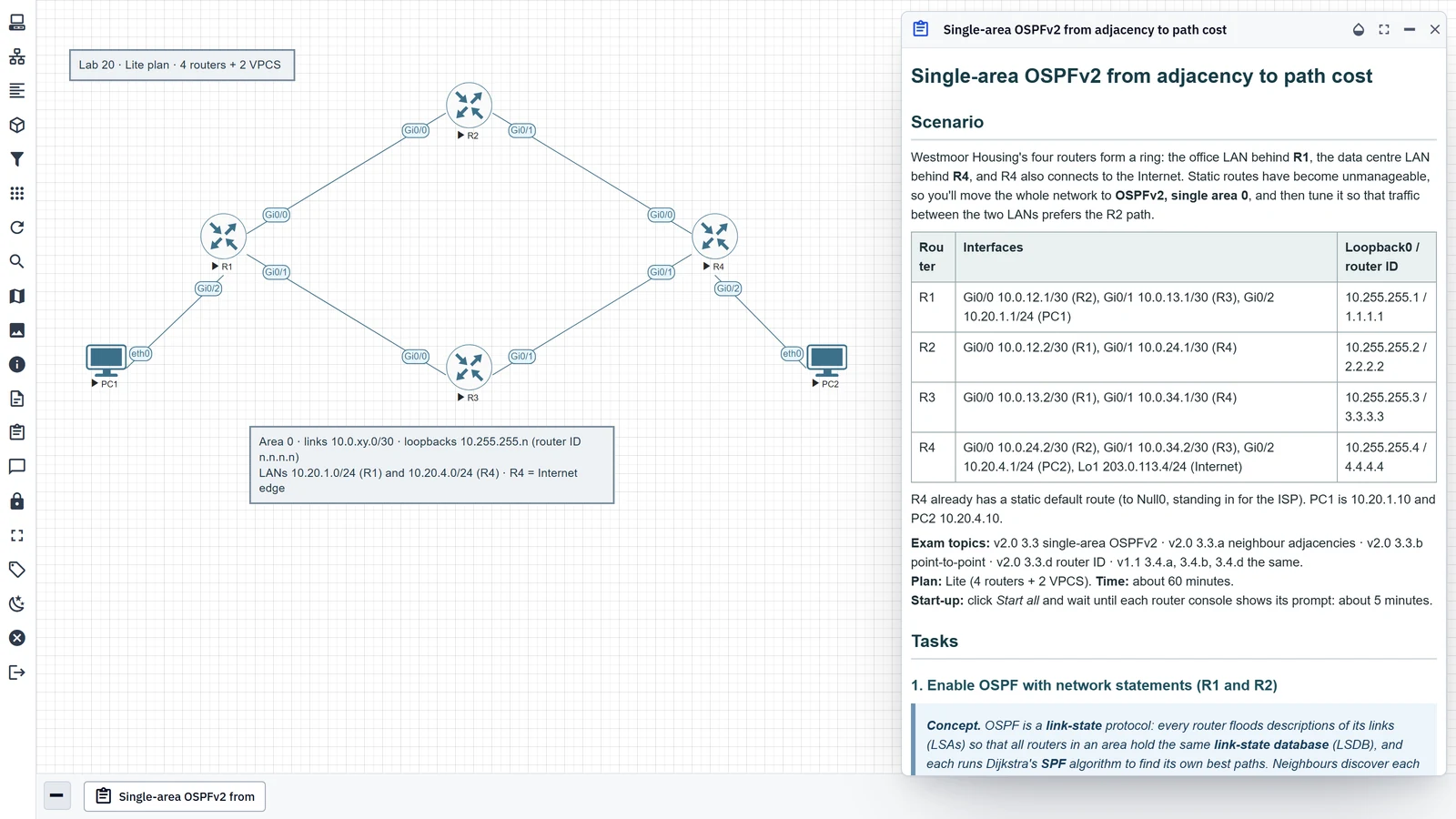
Load balancing and ADC on NetScaler guided labs.Open a lab and start its nodes, then open Lab Tasks for the steps.
The labs are read-only. You can start the nodes and configure the devices, but changes to the topology can’t be saved. To change a lab, rebuild it in your own folder.
Questions about the NetScaler ADC labs
Are these NetScaler ADC labs free?
They’re included with every lab plan, with nothing extra to pay, rather than free. Plans start at £3 a day or £0.50 an hour. To try one first, the free demo gives you 30 minutes with 6 vCPU and 8 GB, and every one of these labs fits it.
Which plan do I need for these labs?
Lite, with 6 vCPU and 8 GB, runs every lab here. EVE-NG admits a node by the vCPU and RAM configured on it, so a lab needs the total its running nodes are set to. The biggest here, “High-availability pair”, needs 6 vCPU and 6,144 MB. Each lab’s Lab Tasks pane names the plan it needs.
How long do these labs take to start?
They are ready 5 to 8 minutes after you start them, and most take about 7. That is the time from starting a lab’s nodes to the point where the first task can begin. We measured it in our own test runs, with many other labs running on the platform at the same time, so yours is often quicker. Each lab in the list above has its own time.
Can I run these labs in the free demo?
Yes, all of them. The demo is a real workspace with 6 vCPU and 8 GB for 30 minutes, so a lab fits it when its nodes fit in 6 vCPU and 8 GB together, and it is ready within about 10 minutes of starting. Each lab’s page says whether it fits, and its Try it free button opens the demo with that lab named.
Can I change these labs?
You can start the nodes and configure the devices, but the labs are read-only: changes to the topology can’t be saved. To change one, rebuild it in your own folder.
Are these labs from NetScaler?
No. CloudLabBox wrote them to follow the topics of everyday load-balancing and application-delivery work on NetScaler VPX 14.1. The course isn’t mapped to an exam and claims none. They aren’t training material from NetScaler, and CloudLabBox is independent of NetScaler, Cloud Software Group, Citrix and F5.
Do I need a NetScaler licence for these labs?
No. The labs run NetScaler VPX 14.1 as the Express edition, which needs no licence file and doesn’t expire. It is limited to 20 Mbps, which is plenty for a lab. CloudLabBox doesn’t provide vendor licences or subscriptions.
Will these labs help me with F5 BIG-IP?
Yes, for the ideas. Each lab maps what you build to its BIG-IP LTM name: virtual servers, pools, monitors, persistence profiles, iRules and so on. The clicks and commands are NetScaler’s, and there is no F5 image in the labs.
Is this course tied to an exam?
No. It teaches the load-balancing and application-delivery work an ADC administrator does, and claims no exam.
Try a lab before you choose
The free demo is a real workspace for 30 minutes, with 6 vCPU and 8 GB. Every one of these labs fits it. No card and no email.
More practice labs
- CCNA practice labs online
- CCNA troubleshooting ticket labs
- CompTIA Network+ practice labs
- CCNP ENCOR practice labs
- CCNP ENARSI practice labs
- CCNP Service Provider practice labs
- Cisco NX-OS data centre practice labs
- CCIE Enterprise Infrastructure practice labs
- Catalyst 9800 wireless configuration labs
- Network automation practice labs
- Network automation in practice: multi-vendor labs
- Cisco ASA firewall practice labs
- Packet analysis labs with Wireshark and tcpdump
- FortiGate practice labs
- FortiGate SD-WAN practice labs
- Cisco Catalyst SD-WAN CLI practice labs
- Palo Alto firewall practice labs
- Check Point CCSA practice labs
- Check Point CCSE practice labs
- Multi-vendor firewall and VPN practice labs
- Infoblox DNS, DHCP and IPAM labs
- BGP practice labs across vendors
- Nokia SR OS NRS I practice labs
- MPLS and L3VPN practice labs
- VXLAN EVPN practice labs across vendors
- IPv6 practice labs across vendors
- Linux labs for network engineers
- Multi-vendor troubleshooting practice labs
- JNCIA-Junos practice labs
- JNCIS-ENT practice labs
- JNCIA-SEC and JNCIS-SEC practice labs
- JNCIS-SP JN0-364 practice labs
- JNCIP-ENT JN0-650 practice labs
- Arista EOS practice labs
- HPE Aruba Networking CX switching labs
- Huawei HCIA-Datacom practice labs
- HCIP-Datacom Core practice labs
- MikroTik MTCNA practice labs
- MikroTik MTCRE practice labs
- MikroTik MTCINE practice labs
- MikroTik MTCSE practice labs
- MikroTik MTCTCE practice labs
- MikroTik MTCIPv6E practice labs
- All practice labs
CloudLabBox is independent of NetScaler, Cloud Software Group, Citrix and F5. The labs follow exam topics and aren’t vendor training material; vendor names identify the exams and the images in the workspace.